COSMOS Dashboards: Custom Views and Control for Every System, Satellite, and Mission
Dashboards are coming to COSMOS! The upcoming COSMOS 7.6 update will take engineers and operators beyond telemetry screens and tables to customizable views for every system, target, and mission.
This tool is so exciting that it requires a sneak peek. Watch Staff Software Engineer Clay Ito preview how to set up and customize dashboards in just minutes.
Building and Configuring COSMOS Dashboards
To get started with Dashboards in COSMOS the first step is adding panels. Panels can be telemetry items like stats, states, graphs, etc. The panels are arranged on a 12-column grid system but offer flexible resizing for view customization. Panels can be stretched both horizontally and vertically depending on how big or small the panel needs to be.
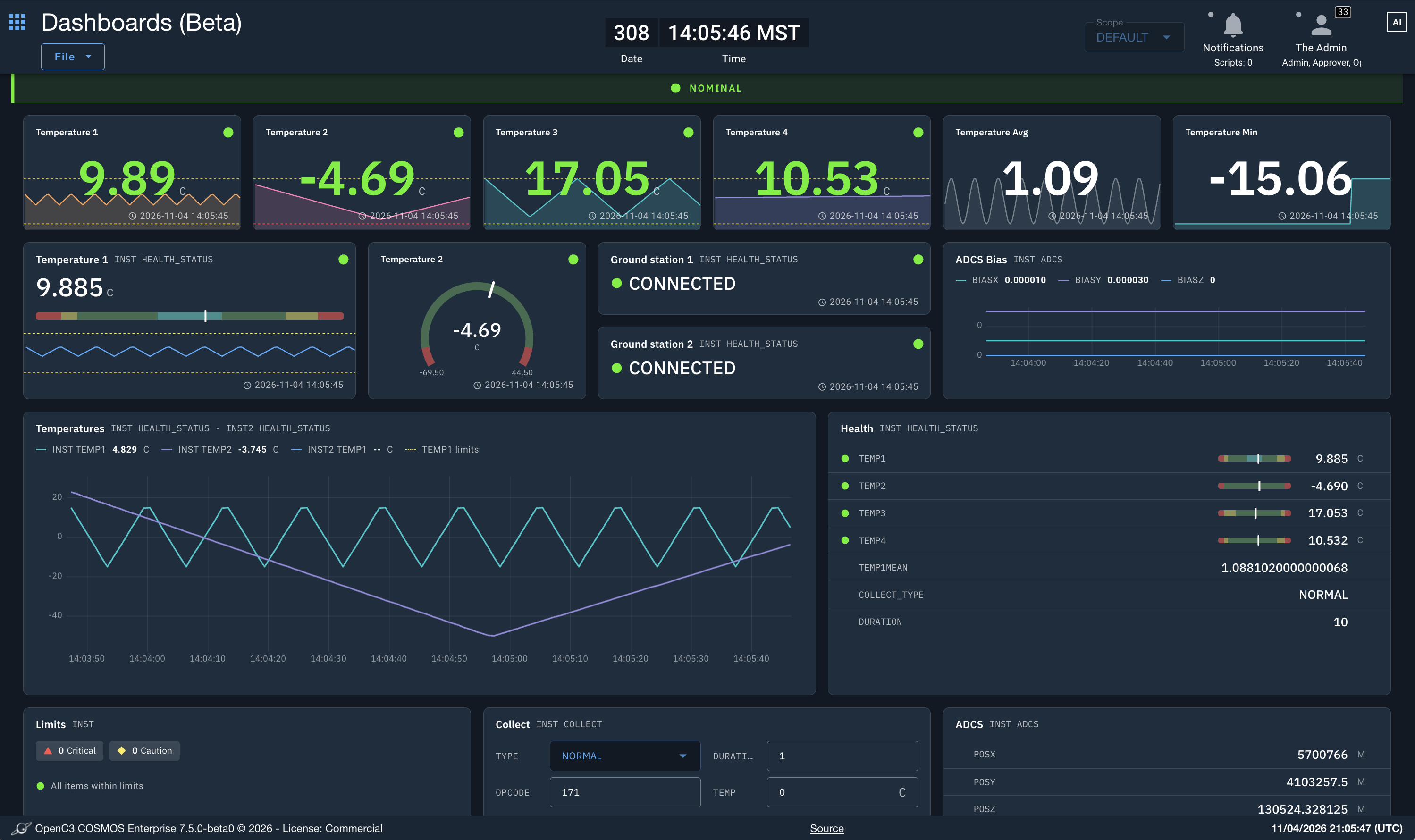
Prefer the typical COSMOS-style text configuration for telemetry screens? It’s still available in Dashboards. Panels can be configured via text or code or visually in the UI with drag-and-drop capabilities. Users have total control over dashboard configuration—even down to colors. Most importantly, Dashboards support changing time ranges for incoming data with quick range options of two minutes, five minutes, 15 minutes, or 30 minutes, plus a text box for custom ranges. There’s also a playback button for viewing historical telemetry.
Once a dashboard is created, users can generate a code representation of it and save it as a text file within their plugin definitions. Have existing Telemetry Viewer screens? Easily convert those screens into dashboards in just three clicks (File > Convert to Dashboard > Convert and Open).
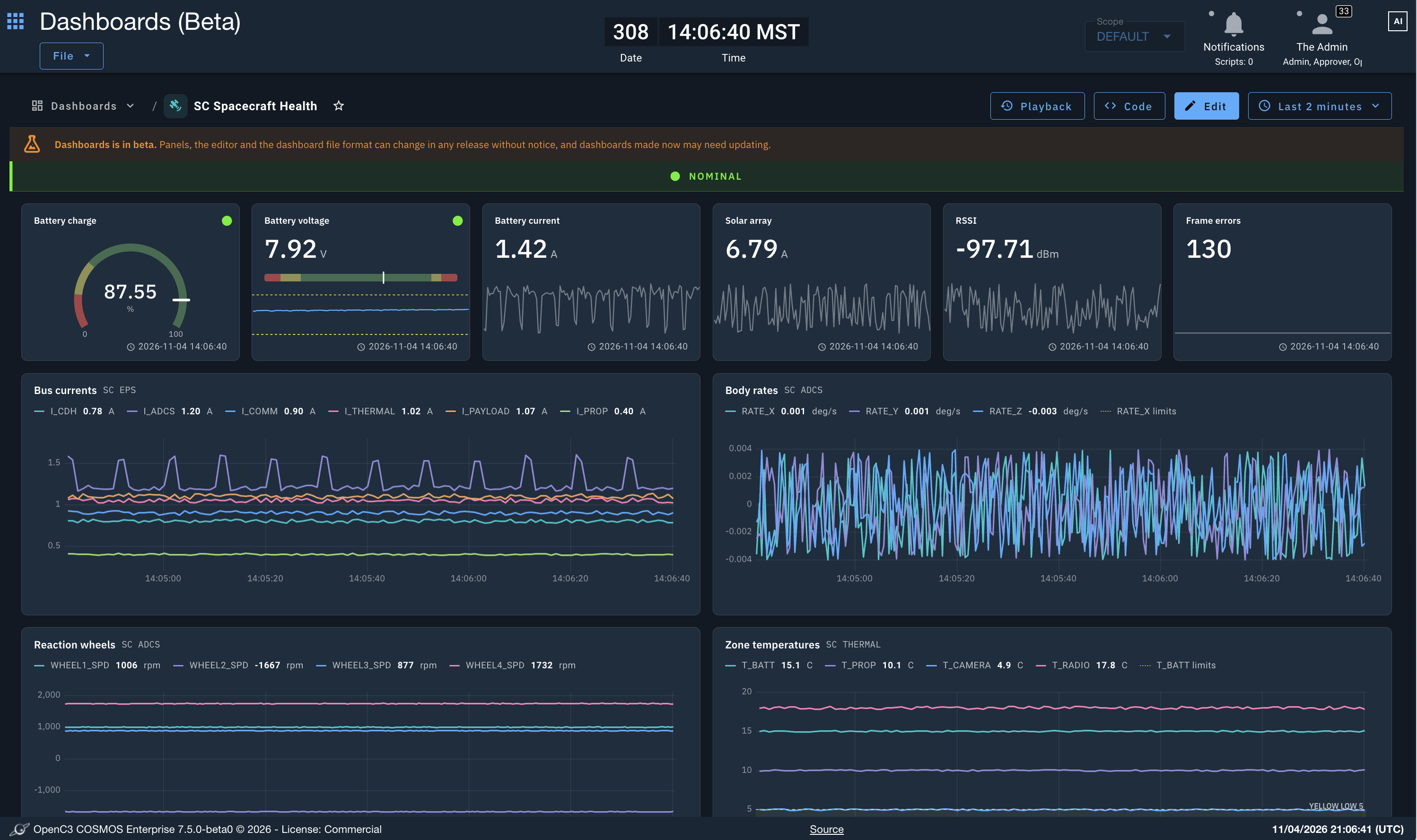
Another key feature of Dashboards is the visual panel monitoring. If a certain telemetry item is recognizing off-nominal conditions, the Dashboards display will draw attention to that panel by highlighting it and essentially adding a glowing drop shadow. This monitoring system also uses status icons for quick checks of each panel. If a panel is off-screen, a top-level banner will pop up to share critical alerts or errors and include a quick link to the panel that needs to be looked at.
For users who prefer keyboard shortcuts instead of clicking, Dashboards allow users to use arrow keys and enter commands on their keyboard to navigate more quickly and intuitively.
The Dashboards feature is just one way users can make their COSMOS instance truly their own. Be on the lookout for COSMOS 7.6 to take advantage of Dashboards! Stay up to date on all COSMOS and OpenC3 news by subscribing to our newsletter!
Have ideas for Dashboards or want us to prioritize future improvements? Provide your feedback and ideas on the GitHub issues board.